 Eat · Singapore
Maxwell Food Centre
Open until 10pm
Chicken rice from the stall with the queue. Ten minutes from Tanjong Pagar MRT.
Pilot · Sep
✓ Not affiliated with any airline
806 spots in 38 cities, each one added by a pilot or cabin crew member. Open it when you land and see what's open near you.
Spots added by verified crew
Pilots and cabin crew add every spot and back it with Recommend. The app carries no paid listings and no scraped reviews. Each spot shows how many verified crew recommend it and what they said.
Land, open the map, walk somewhere worth it.
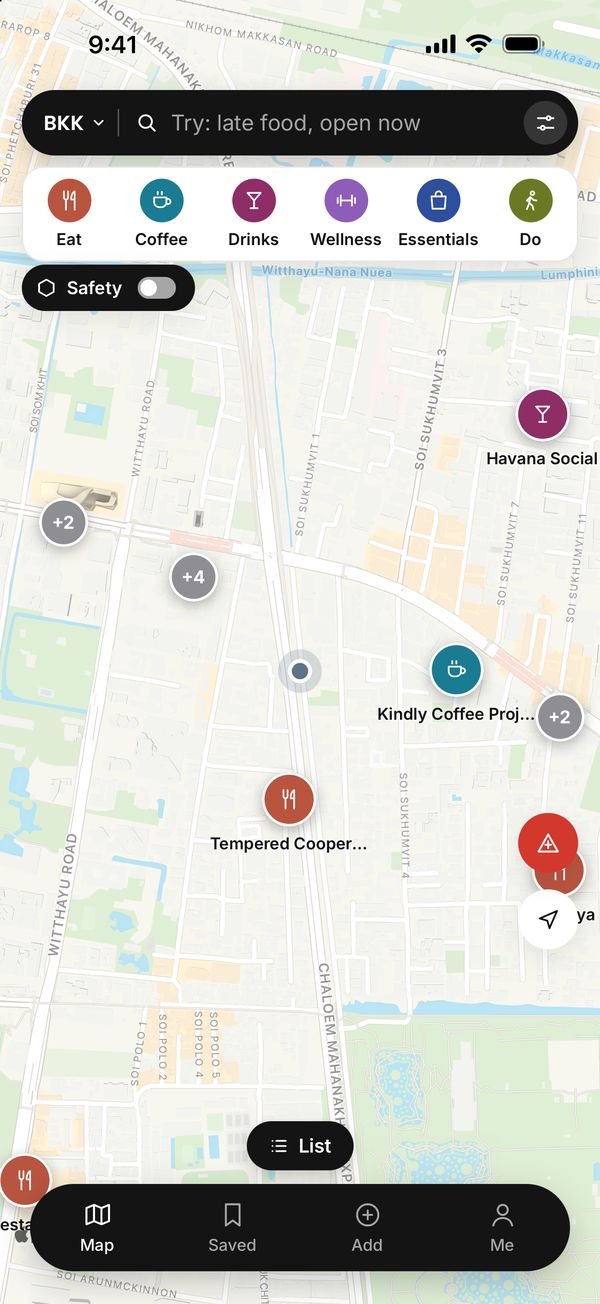
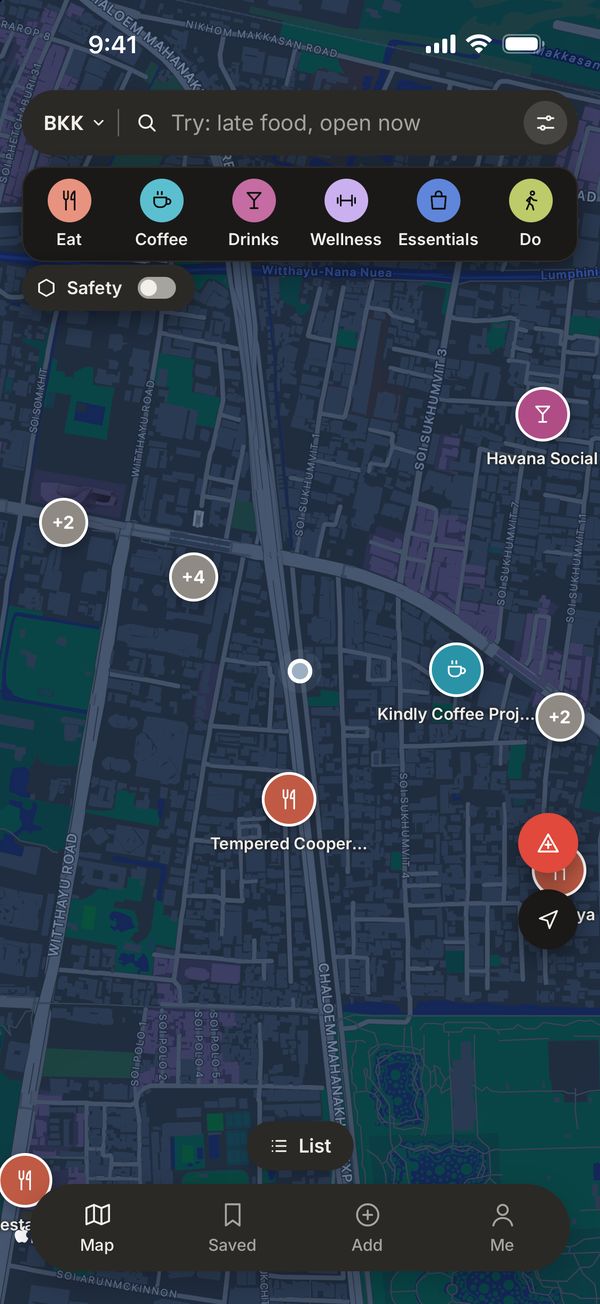
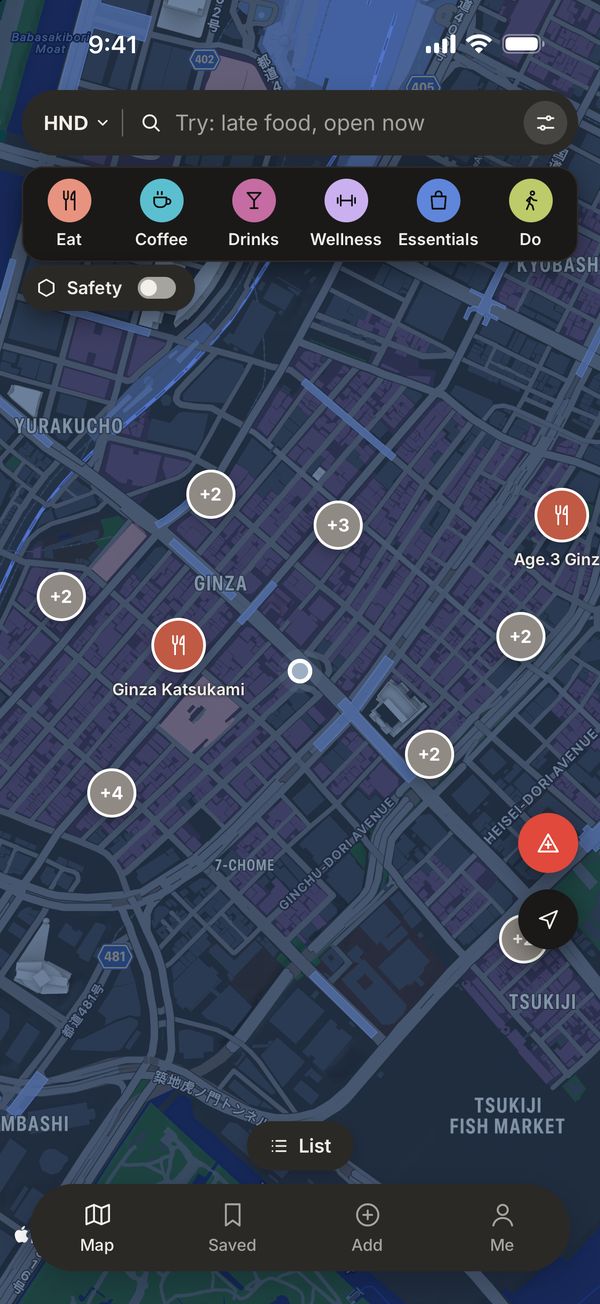
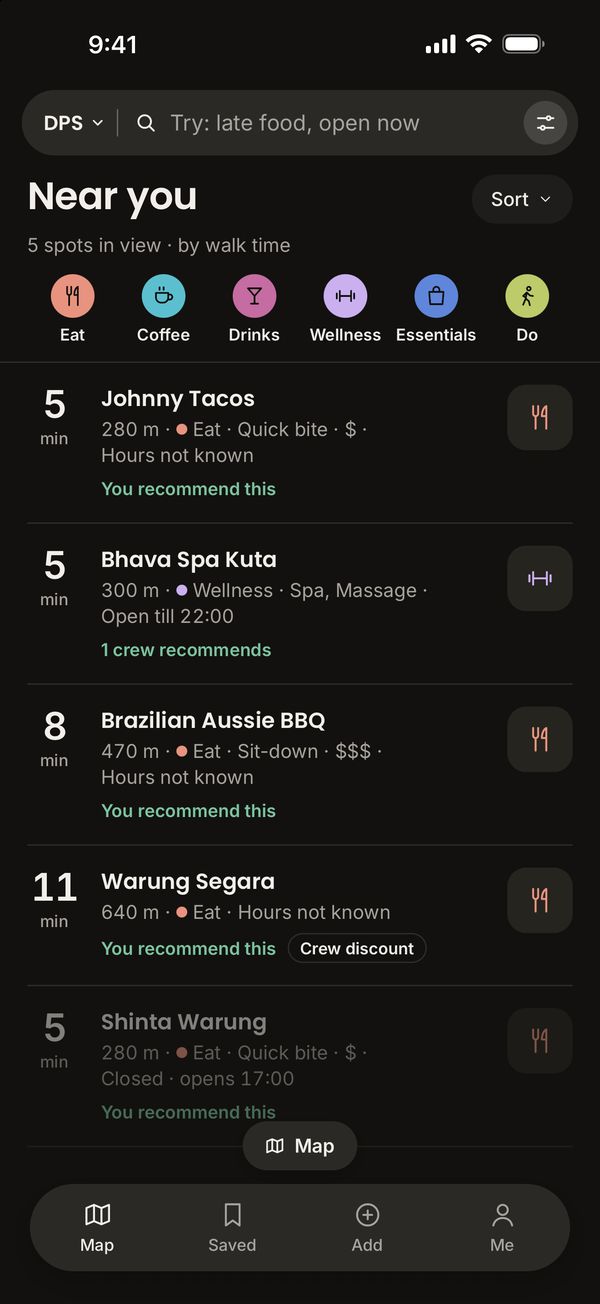
Every pin is a place crew recommend, with the walk time from where you are.
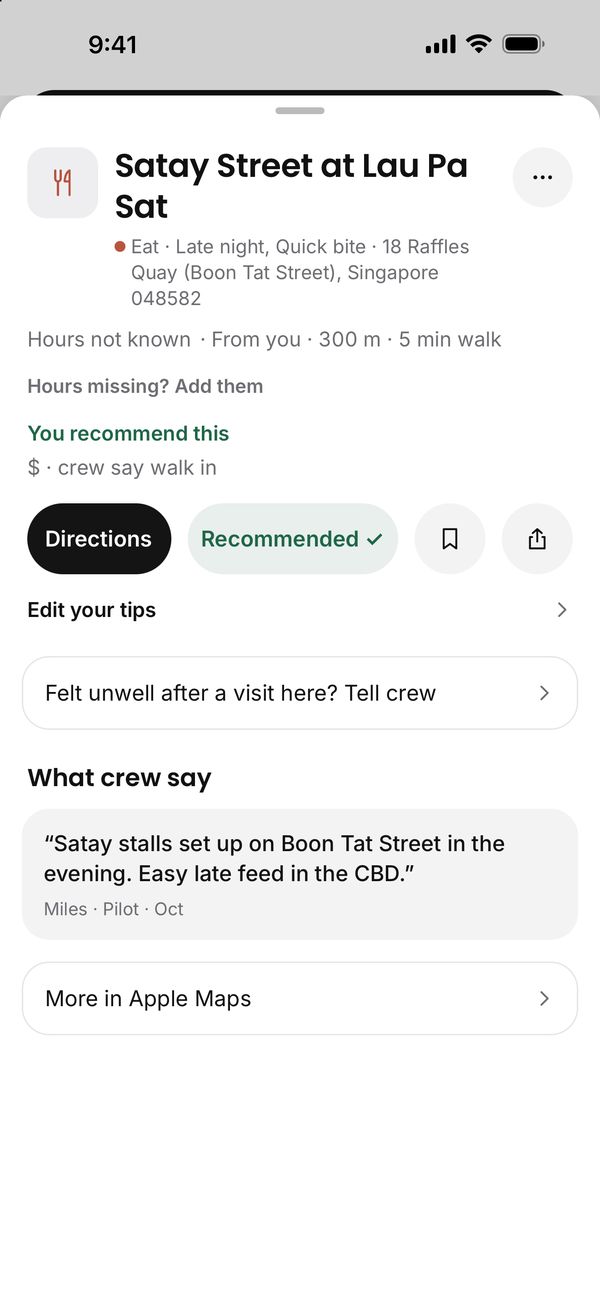
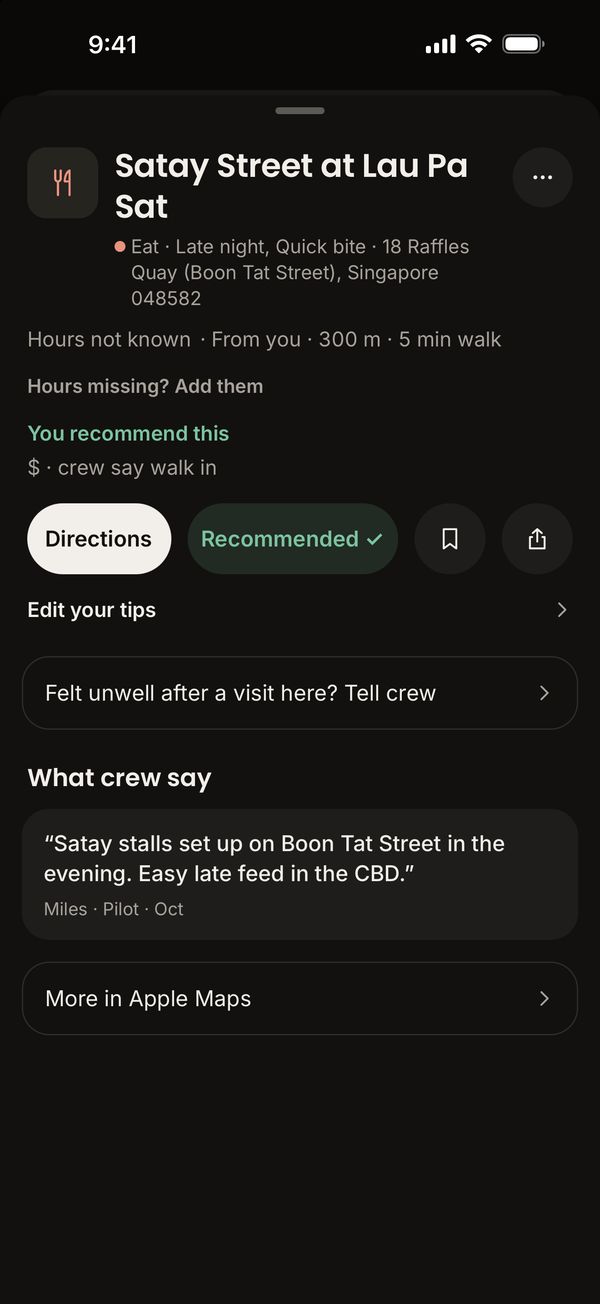
Each spot carries a crew member's line on what to order or what to know.
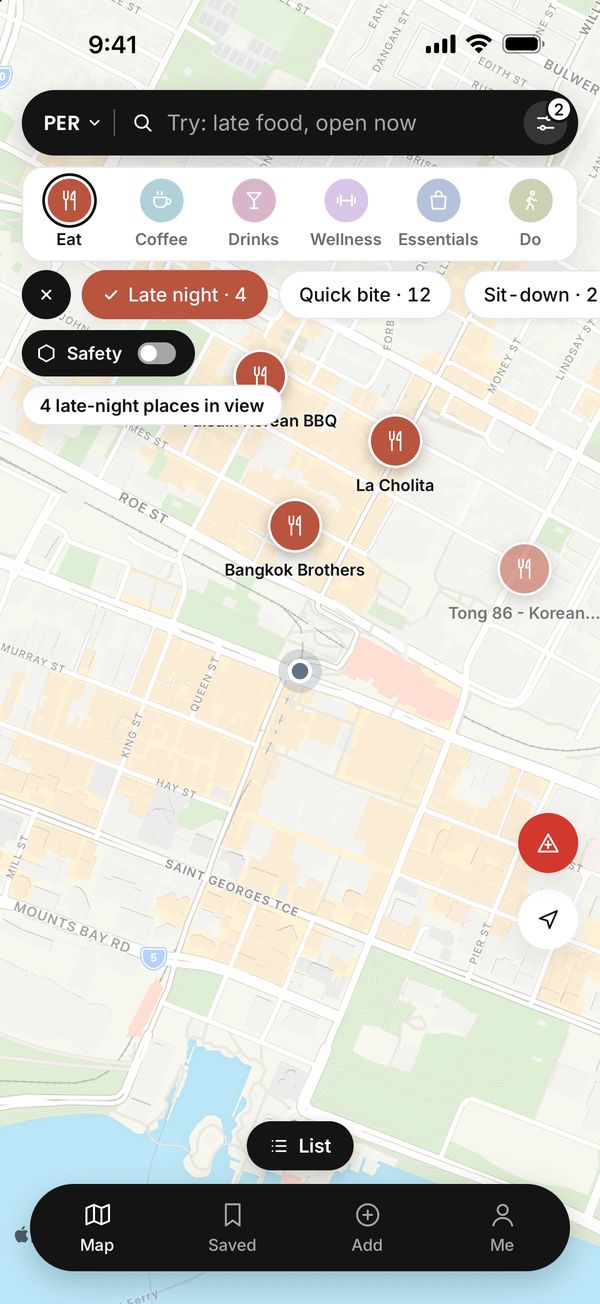
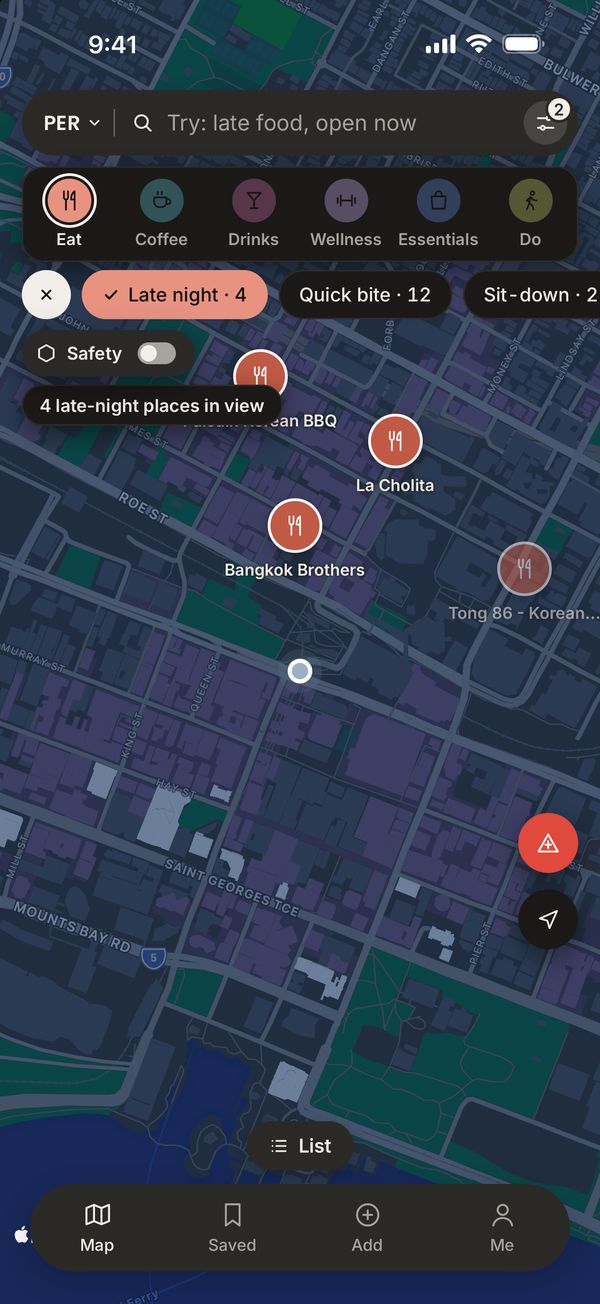
Late food, coffee, a drink or the pharmacy run. Open now shows what's still serving.
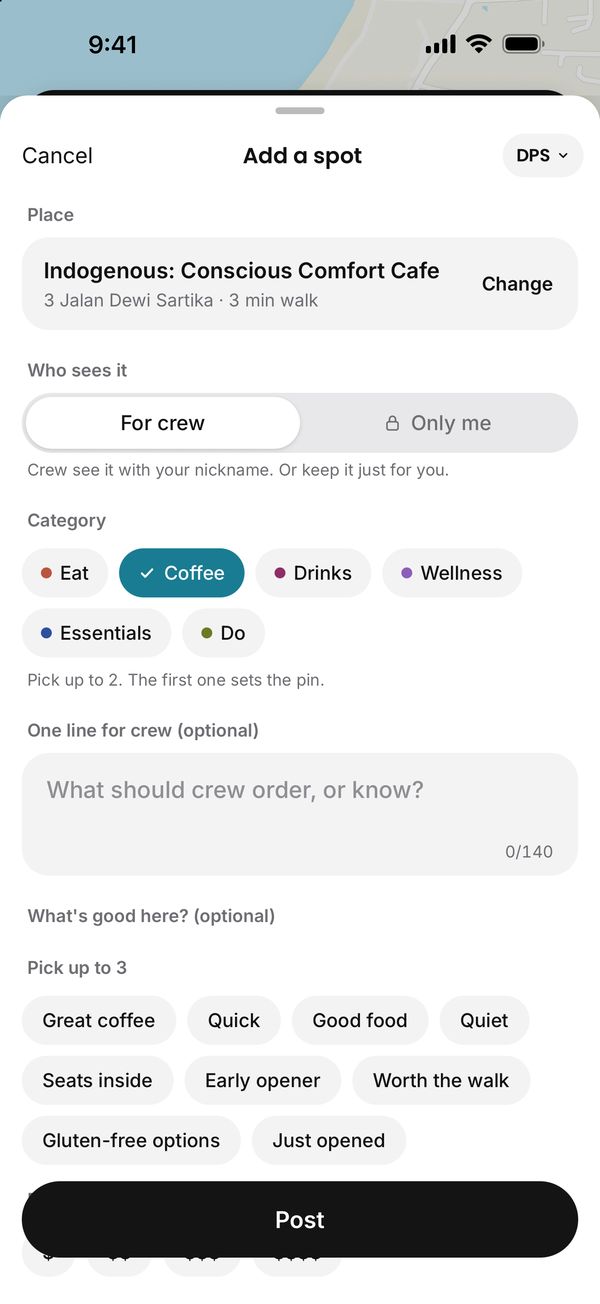
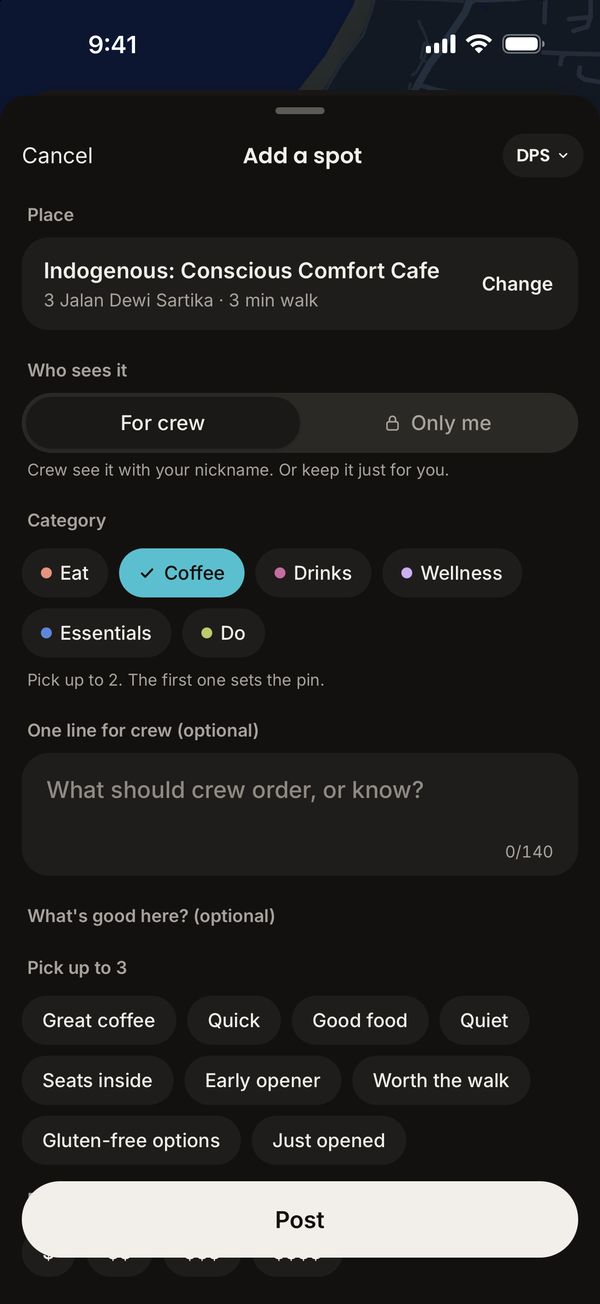
Pick it on Apple Maps, choose a category and write one line for crew.
01 · Map
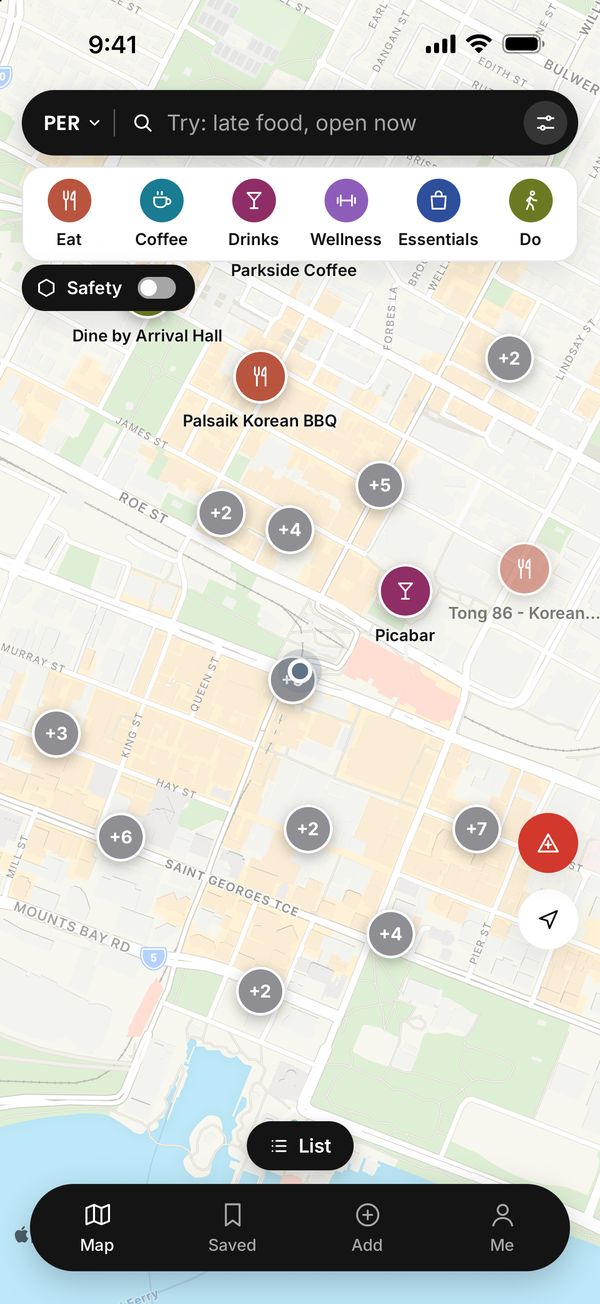
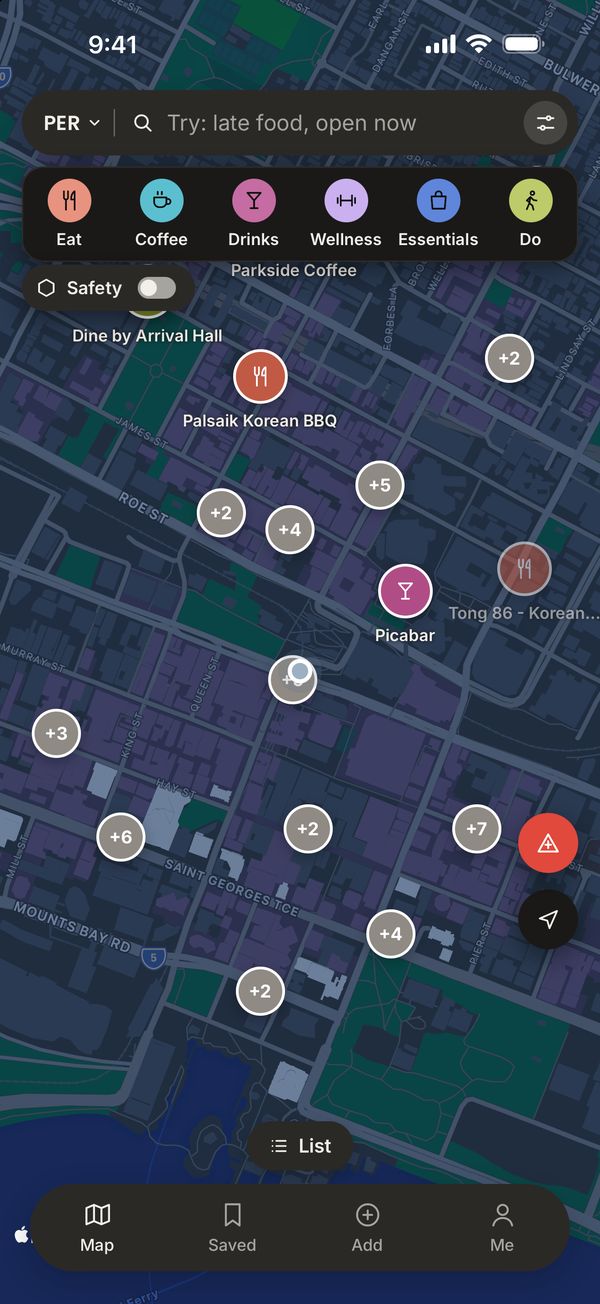
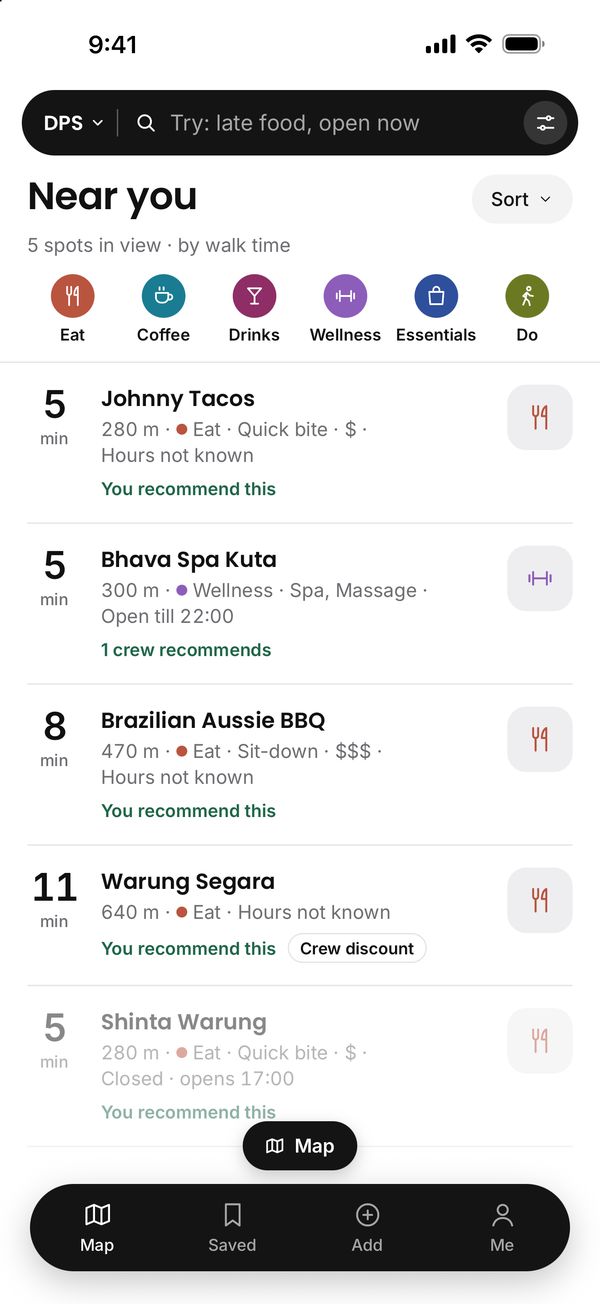
The map opens where you are, with every city on it. Zoom out and each city shows how many crew spots it has; tap the city code to jump to another. Six coloured buttons pick a category: Eat, Coffee, Drinks, Wellness, Essentials and Do, with its kinds underneath. Pick Sit-down and Healthy and you see the spots that are both. Filters adds Open now, crew discounts and gluten-free, with counts that change as you move the map. Nothing nearby? Show the nearest one. Events and markets show under What's on, in Do, until their last day.
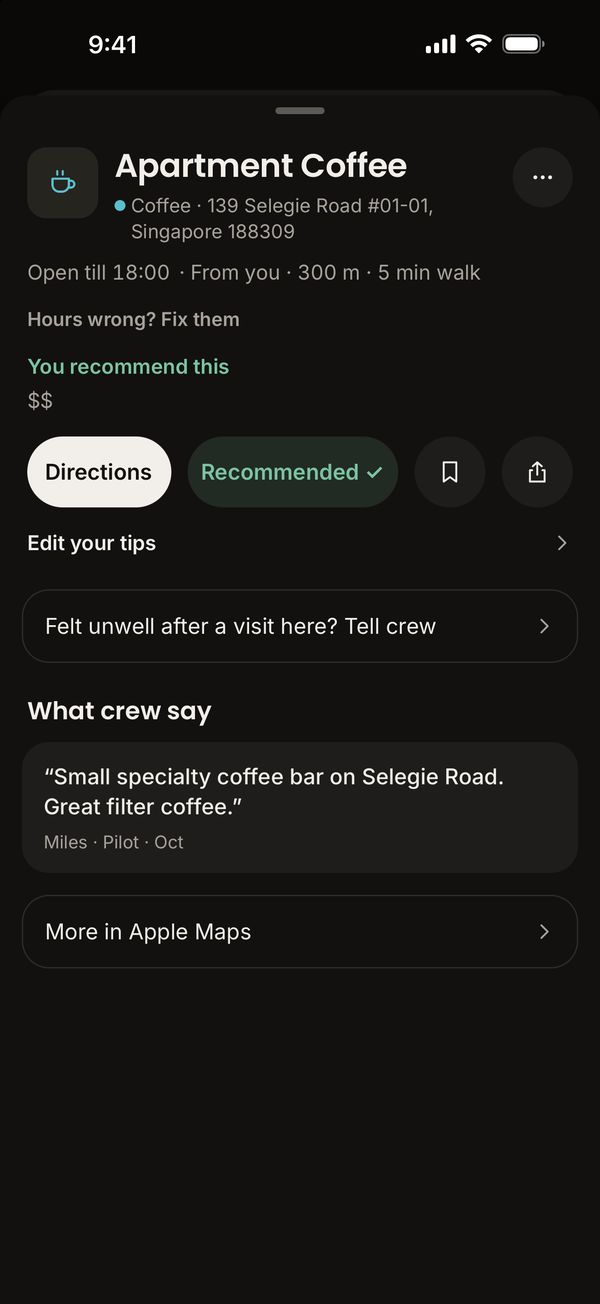
02 · Spots
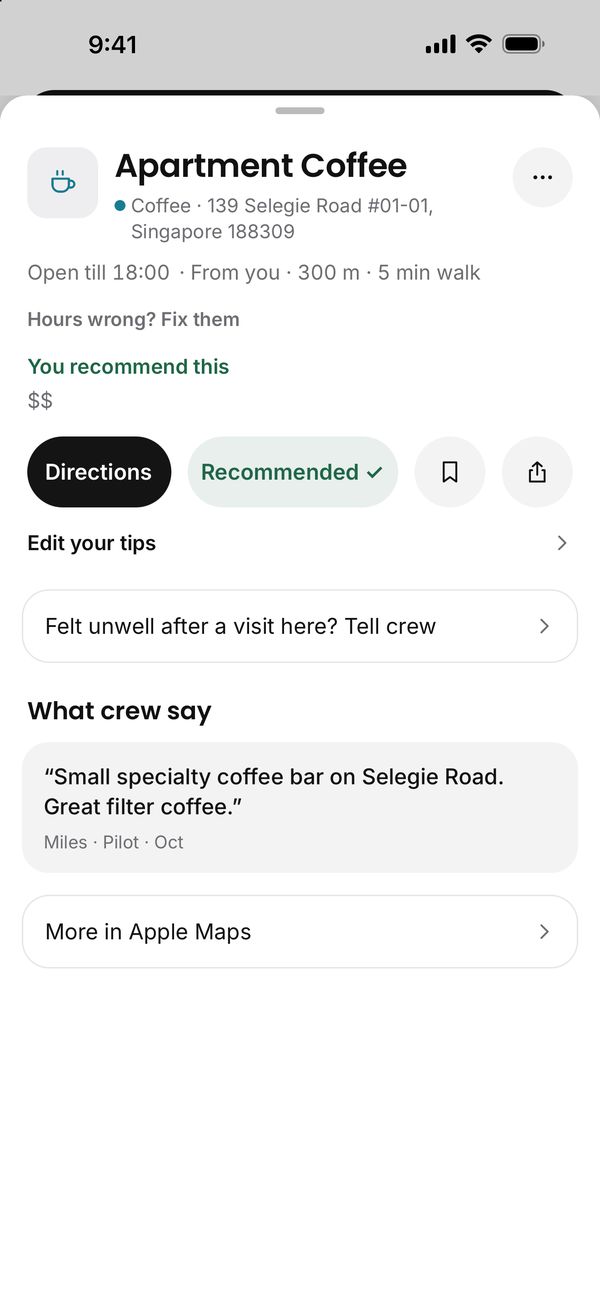
Opening hours in local time, walk times worked out on your phone, crew photos, and prices and booking tips from crew who went. Tap for drive and transit times where Apple Maps has them. No hours yet? Add them, and every crew member sees them.
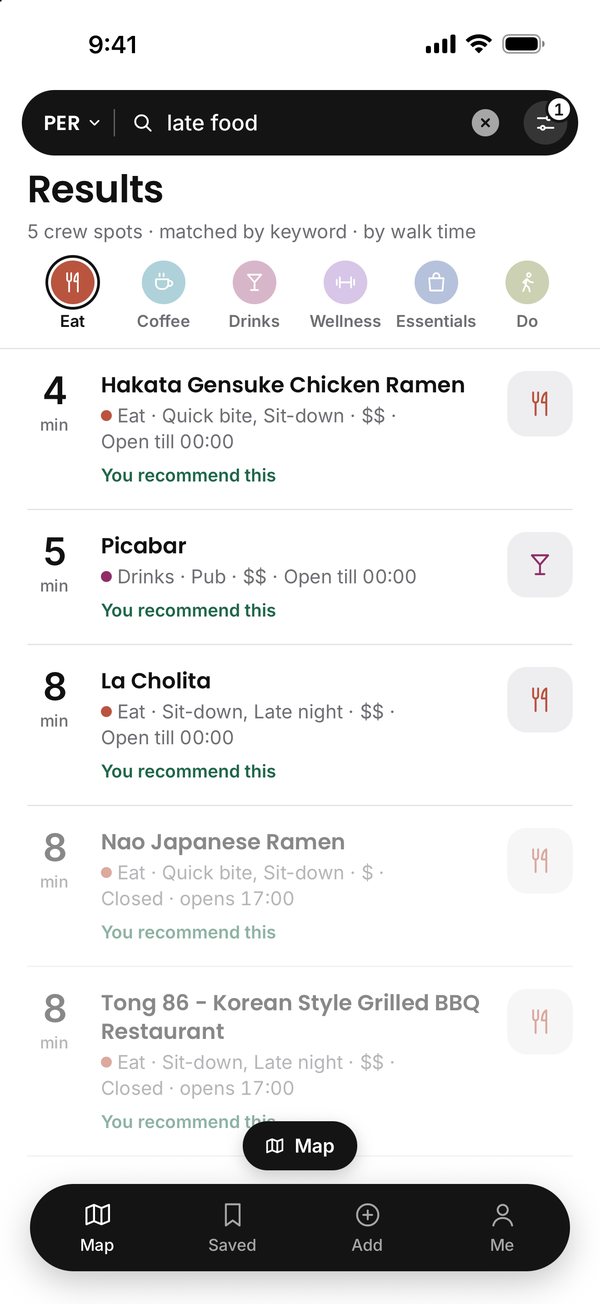
03 · Search
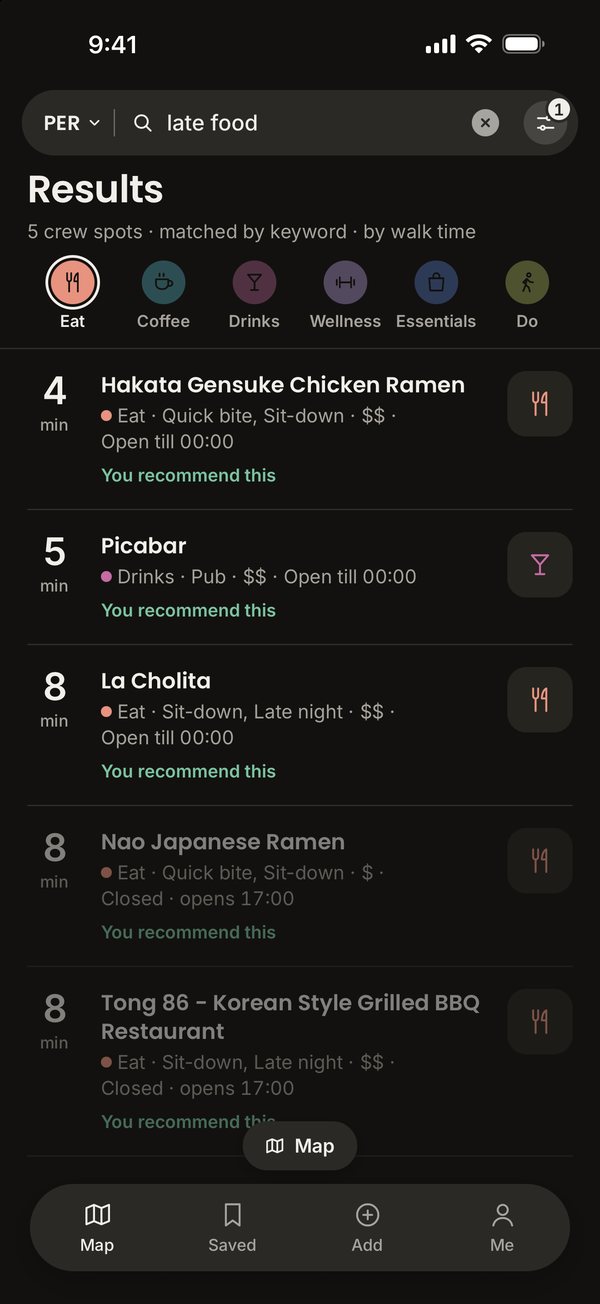
Type what you need, like late food, open now
. The app searches the city's crew spots on your phone, with or without signal. Kinds work too, such as rooftop bar or pharmacy. Name a city, like late food Singapore
, and the map goes there.
04 · Add
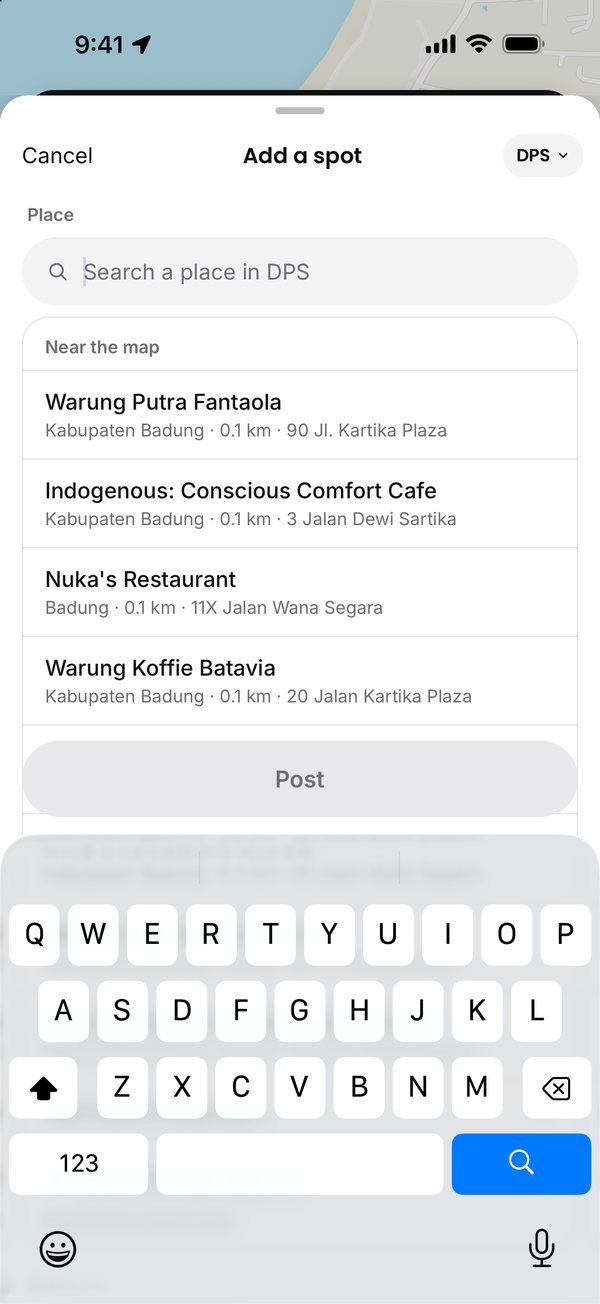
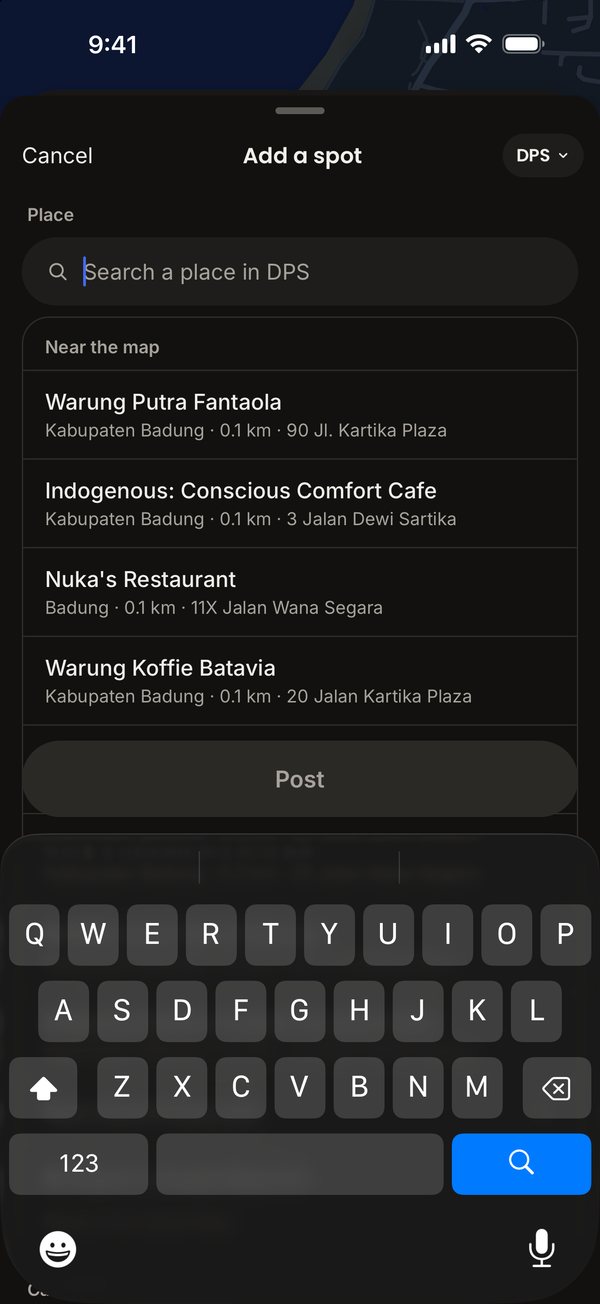
Find the place on Apple Maps. The search lists each branch of a chain and puts places near where your map is looking first. Pick a category and up to three kinds, and write one line about it. Opening hours fill in from OpenStreetMap where it has them, for you to check. Other crew can see it as soon as it's posted. A dropped pin, or a place with no Apple Maps category or place ID, waits for our approval first.
05 · Yours
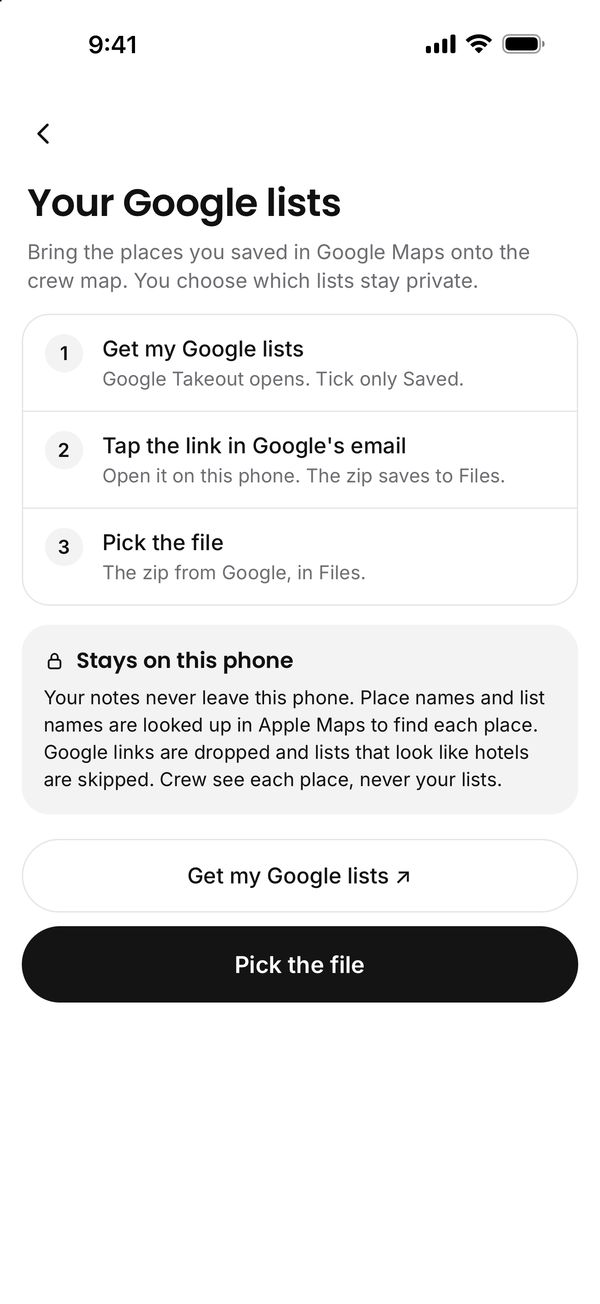
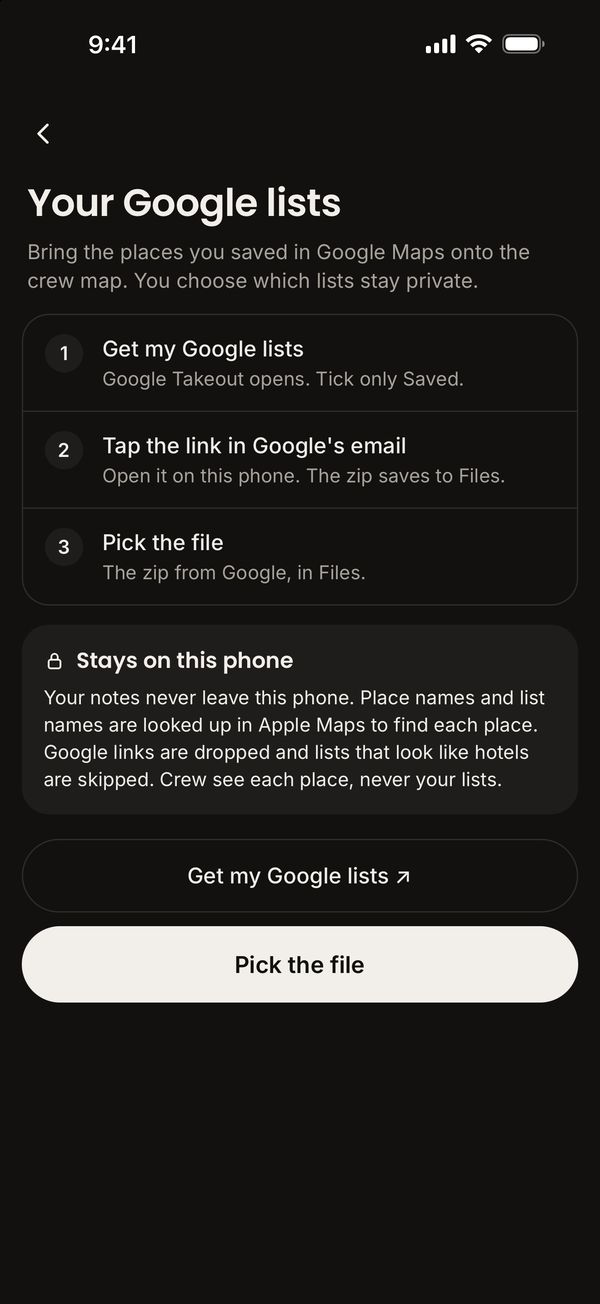
Save spots for your next trip. Keep private places only you can see, and share one with crew when you're ready. Bring your Google Maps lists in as a private checklist.
06 · Offline
Save a city before you fly and it works without signal. Share any spot to WhatsApp with a proper preview.
07 · Alerts
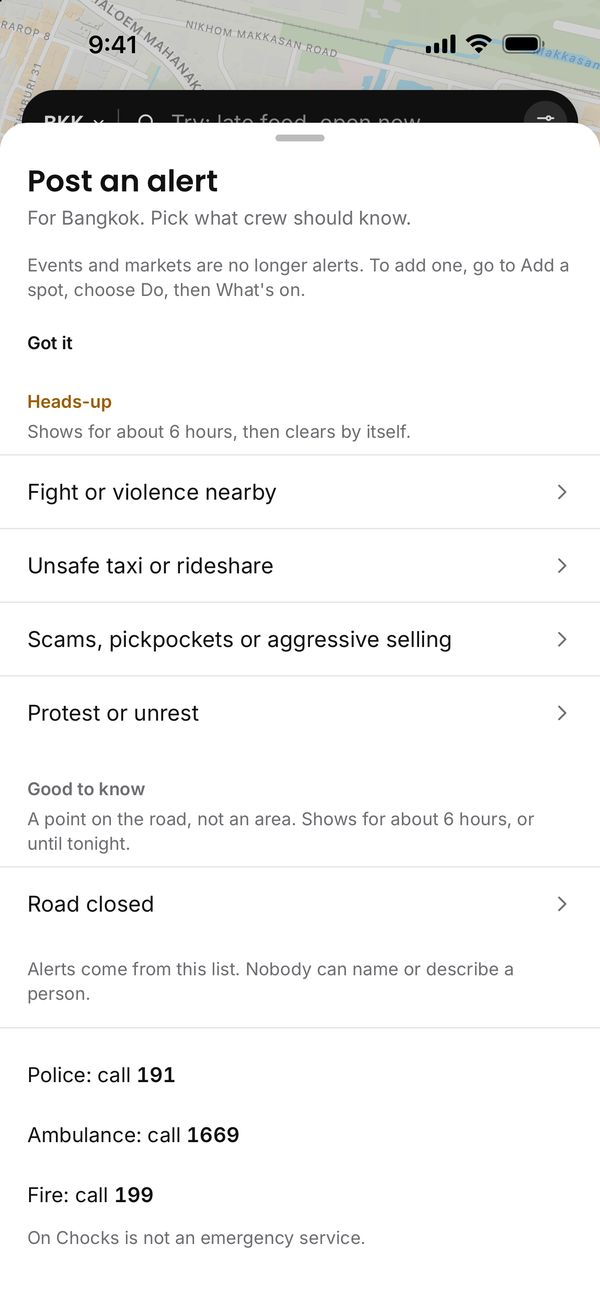
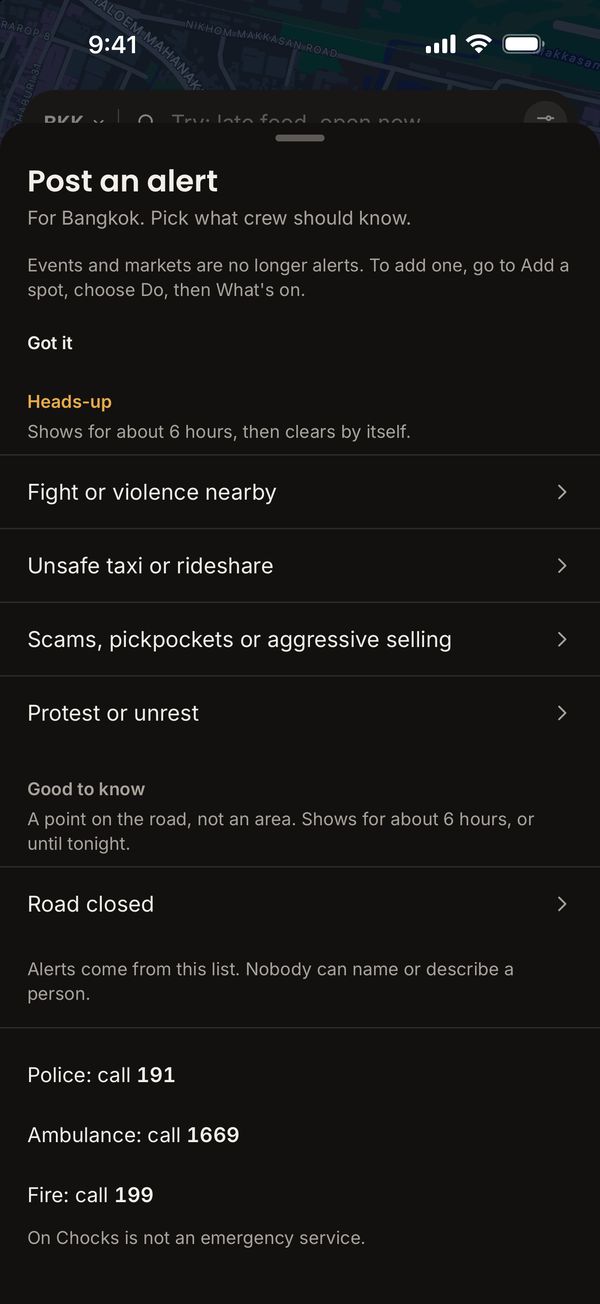
Tap the red button on the map to give crew a heads-up about an area, or to mark a closed road. You pick what it is from a fixed list and choose This area, about 1.2 km across, or Wider area, about 3 km. Nobody sees who posted, crew who saw the same thing tap Seen it too, and heads-ups clear after about 6 hours. Every alert shows the local emergency numbers.
08 · Safety
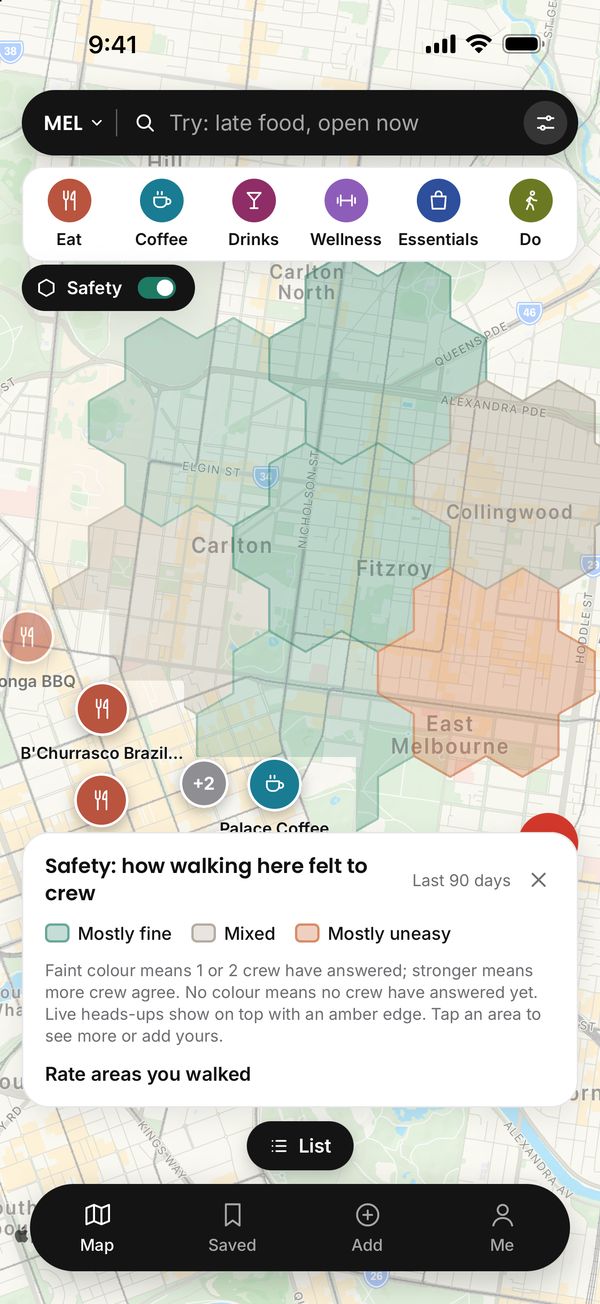
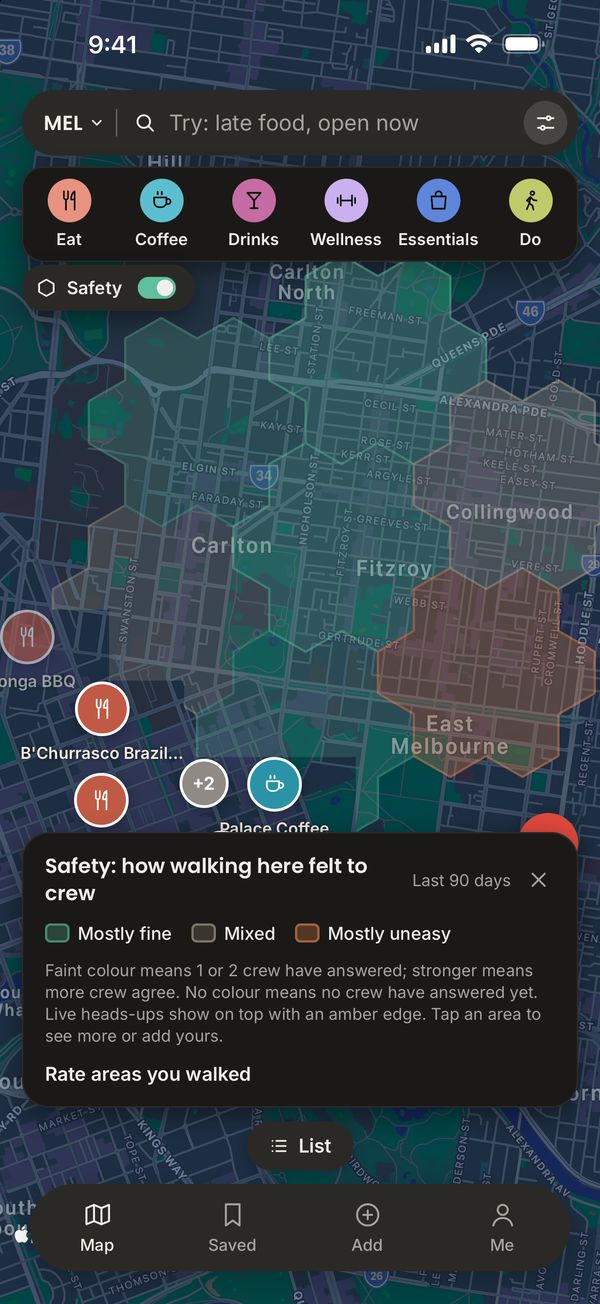
Crew mark the areas they walked as fine, mixed or uneasy. The colour gets stronger as more crew agree.
Sample ratings shown
Spots from the app, with what crew wrote about them.
Sample spots
Eat · SingaporeChicken rice from the stall with the queue. Ten minutes from Tanjong Pagar MRT.
 Coffee · Melbourne
Sit at the bar. Spaghetti and a short black after a late arrival.
 Do · Bali
Get there an hour before sunset. Keep sunglasses and phones away from the monkeys.
 Do · Perth
Up the Jacob's Ladder steps, then the loop to the memorial. Bring water.
Photos via Wikimedia Commons: Maxwell Food Centre by Aaaatu (CC BY-SA 4.0); Pellegrini's by Mattinbgn (CC BY 3.0); Uluwatu by Thomas Fuhrmann (CC BY-SA 4.0); Kings Park by Silver Birch Golden Wattle (CC BY-SA 4.0); Lau Pa Sat by GoAheadFan95 (CC BY-SA 4.0); Roti prata by Jpatokal (CC BY-SA 3.0).
Pick a city before you fly and its spots save to your phone, hours and all.
Every city is open. Crew add the places they rate.
Sign in with any email. Others see a nickname and a role. Your airline stays private.
Built by Miles, a working pilot in Australia.
More on the support page.
Anyone can sign in and look around. Only verified pilots and cabin crew add and rate spots.
Built by Miles, a working pilot in Australia. It's in free beta on TestFlight now. When it's on the App Store, the unlock is a one-time purchase, and Apple handles the payment. This website sets no cookies and runs no analytics. The app has no advertising or tracking code, and your airline is never shown. Questions go to support@getonchocks.app, and we answer every complaint within 7 days.
In the app, open Me, then Verify you're crew. Use a code sent to your airline work email (you can open it on any device), send us one email from your work address, use an invite link from a verified crew member, or send a "Can't verify?" request that we check by hand.
Other crew see your nickname, your role and roughly when you posted, to the quarter of the year. The app keeps your airline private. The app never stores your email address. It keeps a scrambled fingerprint of it. Our email provider, Postmark, keeps the message that carried your code for a while. The privacy policy says how long.
No. The app refuses hotels as spots, and you can report anything that slips through.
Yes. Save a city before you fly. Its spots and opening hours stay on your phone, and the list works without signal.
Yes. Places you keep for yourself stay on your phone until you share them.
A heads-up from crew about part of the city: a fight or violence nearby, an unsafe taxi or rideshare, scams, pickpockets or aggressive selling, or a protest or unrest. Crew can also mark a closed road at its point. The person posting picks from a fixed list and types nothing. For a taxi they pick what happened and what kind of ride, never the driver's name. Other crew never see who posted. When someone else taps Seen it too, the alert reads Confirmed by crew. A heads-up clears by itself after about 6 hours. You can report an alert, or block the crew member who posted it without seeing who they are.
No. On Chocks is not an emergency service. Every alert shows the city's emergency numbers, such as Police: call 999 and Ambulance or fire: call 995 in Singapore, and you can tap a number to call it. Where the app has no checked number for a country, it says Call the local emergency number.
Yes. On the spot page, tap Felt unwell after a visit here? Tell crew. The entry goes into your health and safety log, which stays on your phone. You can switch on Count this for crew. When 3 or more crew from more than one airline have counted an illness at a spot within 30 days, crew see a note on it. The note names nobody and shows nothing anyone wrote.
Gluten-free options: crew have said this place has gluten-free dishes. That's not a promise about how food is prepared or about cross-contamination. If you have coeliac disease, ask the staff before you order.
Yes. Open Me and tap Appearance to pick System, Light or Dark. System follows your iPhone.
Every city. Crew add the places they rate, and each spot you add shows up for the next crew who land there. A dropped pin, or a place with no Apple Maps category or place ID, waits for our approval first.
Crew deals in the app links to Airalo data eSIMs, and for many countries straight to the one you're in. You can also get an Airalo eSIM here. We earn a commission if you buy one.
Join the founding crew on TestFlight now, or get one email when On Chocks is on the App Store.
Free to download. Spots added by verified crew.


